 Pill Counter
Three steps
Spread
Spread the pills in a single layer on the tray. Touching is fine, as long as they don't overlap.
Snap
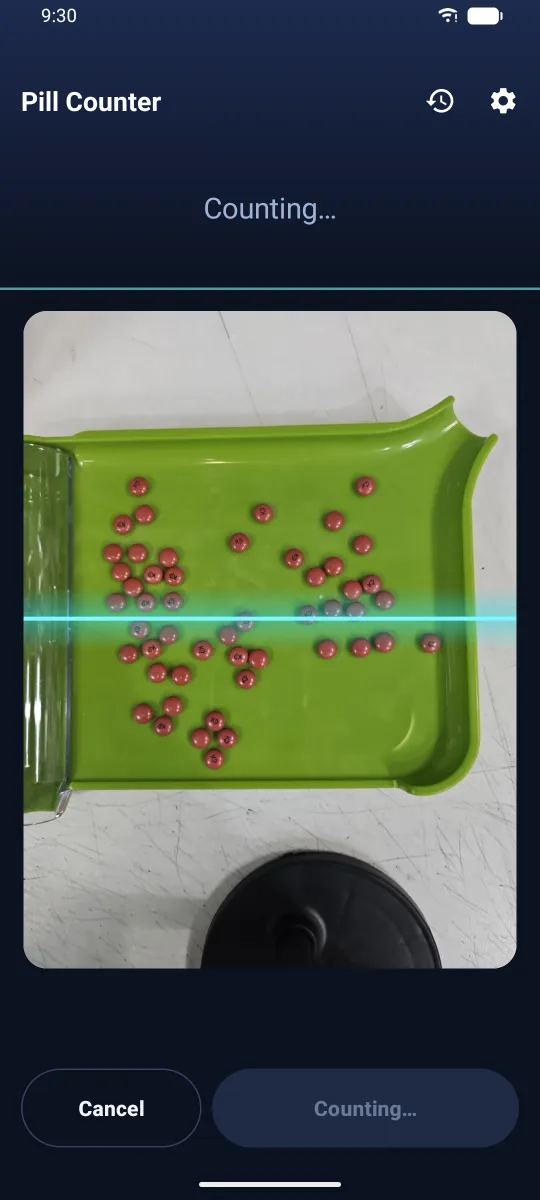
Tap the shutter and the app counts the pills in the photo. A scan line runs across while it counts.
Check
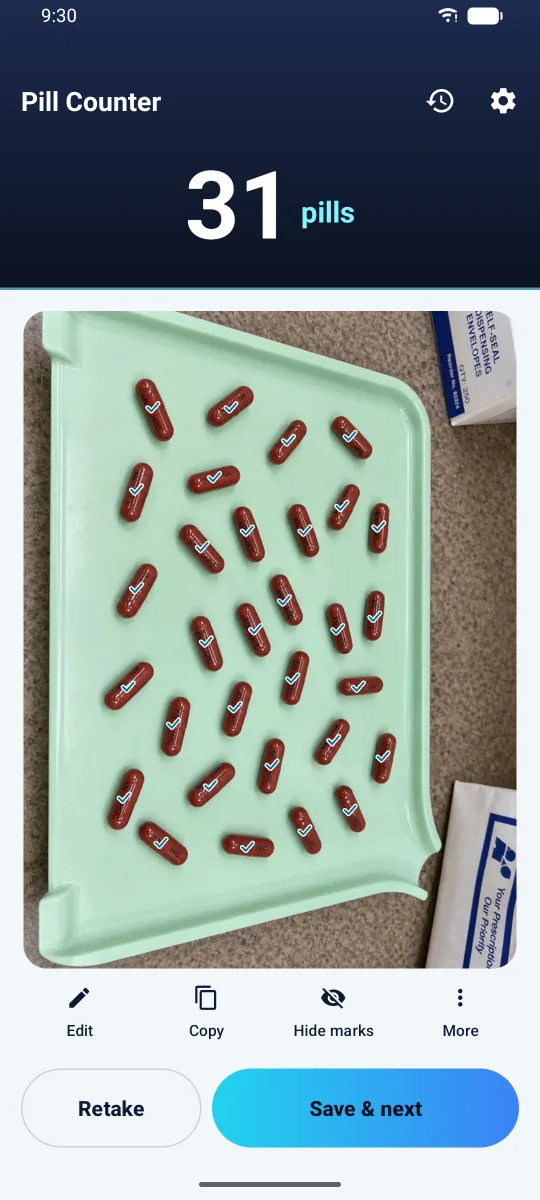
Glance over the check marks. Tap to add a pill it missed, or to remove a mark that shouldn't be there.
Not just a number.
You see what was counted
- Each counted pill gets its own check mark.
- Tap "Hide marks" to see the original photo.
- Tap "Copy" to paste the count anywhere.
Fix mistakes
with a tap
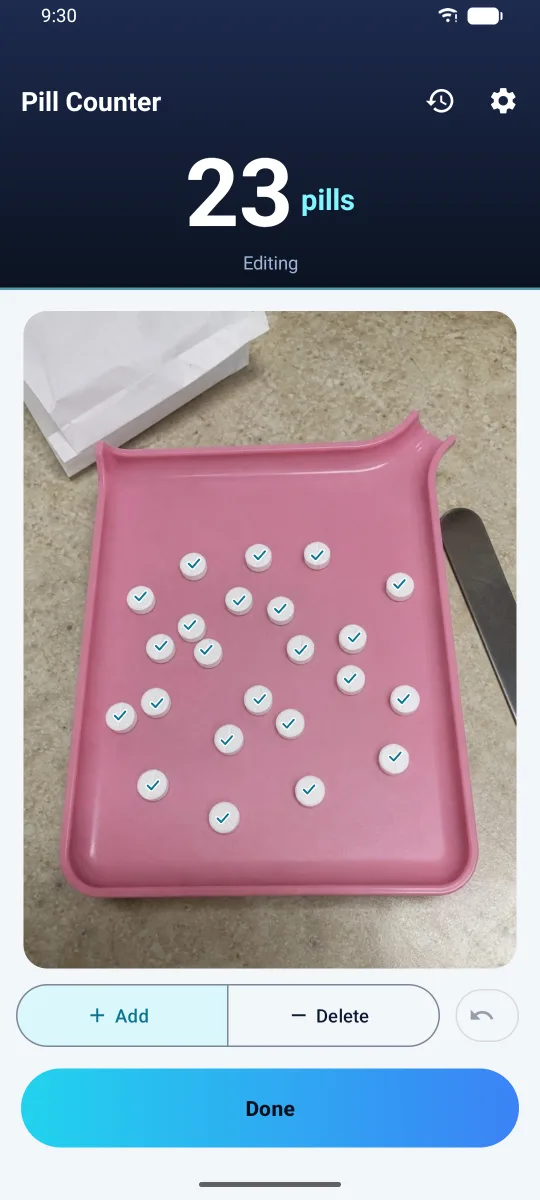
- Choose "Add" and tap a missed pill to add one.
- Choose "Remove" and tap a wrong mark to take one away.
- Tapped the wrong spot? Undo it.
Counting happens on your phone
No sign-up
Install and start. No account, no email.
Counted on the device
The counting model is inside the app, so photos are not sent anywhere to be counted.
History keeps numbers only
"Save & next" records the time and the count. The photo is not kept.
Pricing
No photo limits and no ads.
FAQ
What can it count?
Round tablets, oblong tablets and capsules. Pills that overlap or are stacked may be counted as one or missed, so spread them in a single layer.
Can I trust the number as it is?
Please glance over the check marks before dispensing. That is why the app shows every spot it counted, not just a total. Missed or wrong marks can be fixed right there.
Does it need the internet?
Yes. When it opens, the app asks our server whether a subscription is required. That request carries no ID, and the counting itself happens on your device.
Are my photos sent to a server?
Not by default. Only if you turn on "Send photos to improve counting" in Settings are photos sent to train the counting model, and that setting starts off. You can delete what you sent at any time in Settings.
Is there an iPhone version?
It is on the way. When it is out, this page will link to the App Store.